⏱️ JavaScript Timely Functions Made Simple: setTimeout vs setInterval
One of the coolest things you’ll discover is how to run code after a delay or repeatedly at set intervals.
⏱️ JavaScript Timely Functions Made Simple: setTimeout vs setInterval
setTimeout vs setInterval
🔥 Read for free 👉
If you’re learning JavaScript,
One of the coolest things you’ll discover is how to run code after a delay or repeatedly at set intervals.
This is where timely functions like setTimeout and setInterval come in.
In this story, I’ll explain the basics in the simplest way possible — and at the end,
I’ve also shared a short video to make it even easier to understand.
🧠 What Are Timely Functions?
JavaScript has two main built-in functions to help you control when your code runs:
⏳ setTimeout()
This function runs only once after a given delay.
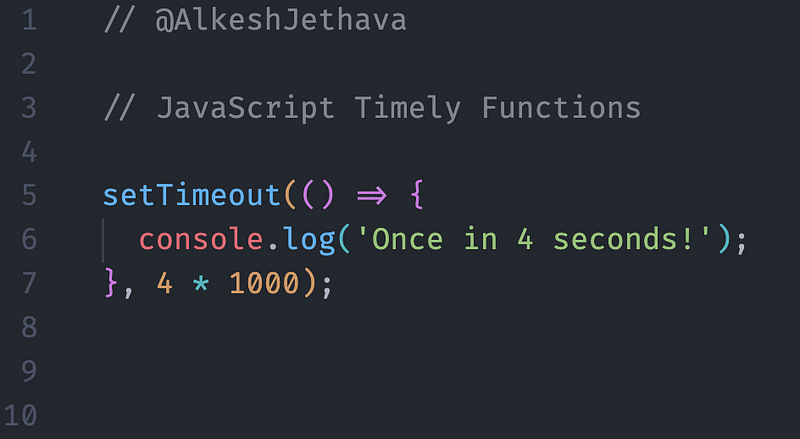
Use it when you want to delay something — like showing a popup, redirecting a user, or waiting before a response.
🔁 setInterval()
This function keeps running your code again and again at regular intervals.
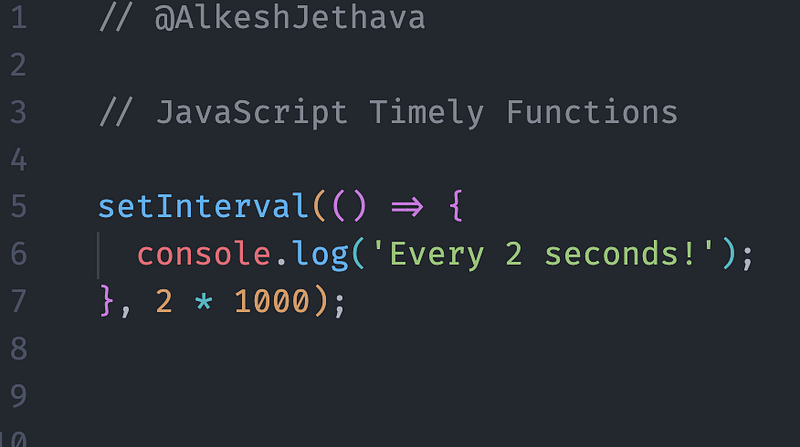
Use it for repeating tasks — like updating a clock, polling an API, or showing animations.
🧪 Real Use Cases
- Show a toast message after a few seconds ➡️ setTimeout()
- Repeat a reminder or timer ➡️ setInterval()
- Stop an interval later using ➡️ clearInterval()
📽️ Watch This 45-Second Short Video
These two functions may seem small, but they unlock powerful workflows in your apps.
If you’re building timers, reminders, animations, or loaders — this is your go-to tool.
📌 Follow Me for More
Did you find this helpful? Give a Clap and Share it with your friends!
For more updates: subscribe to my medium account.
Thank you for reading 😊