Create a Firebase Project for React Native in 2025 — Step-by-Step Guide
Firebase is one of the most powerful tools to add backend features like authentication, push notifications, and databases to your React Native app.
Create a Firebase Project for React Native in 2025 — Step-by-Step Guide
Firebase Setup for React Native Beginners (Hindi Video Included)
🔥 Read for free 👉 H
Firebase is one of the most powerful tools to add backend features like authentication, push notifications, and databases to your React Native app.
In this short guide (with a 1-min Hindi video), I’ll show you how to set up your first Firebase project — step-by-step.
Step 1: Go to Firebase Console
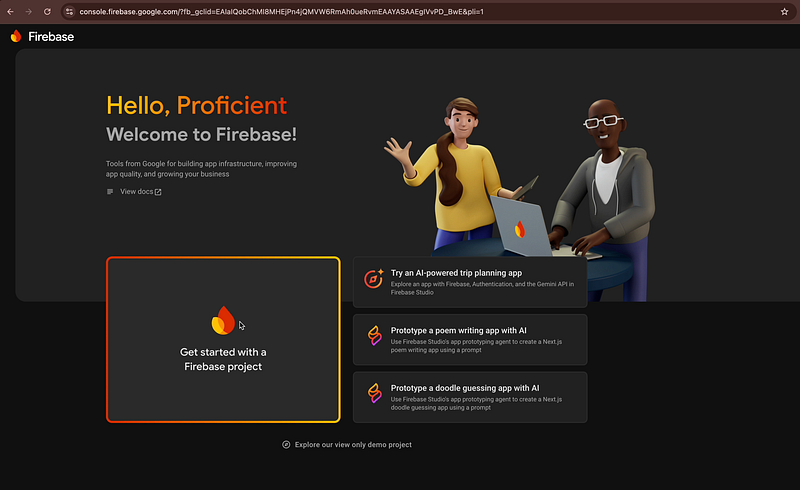
Go to Firebase Console and click on Get Started with a Firebase project.
Step 2: Name Your Project
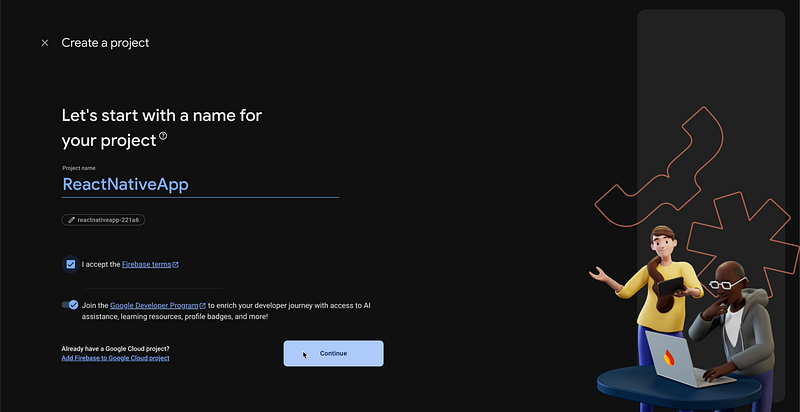
Choose your project name (here it is ReactNativeApp) and accept the Firebase terms
click on Continue with default settings.
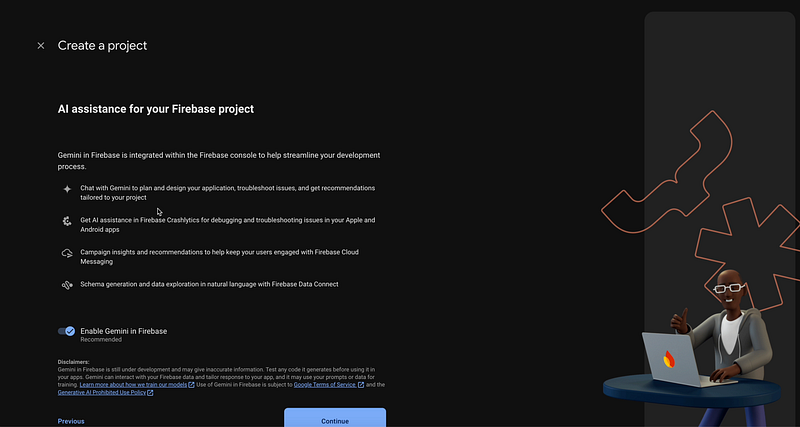
click on Continue with default settings for AI assistance.

Also, click on Continue with default settings for Google Analytics.

Here, you can configure the Google Analytics,
You can simply use the default settings, accept the Google analytics terms and click on Continue.
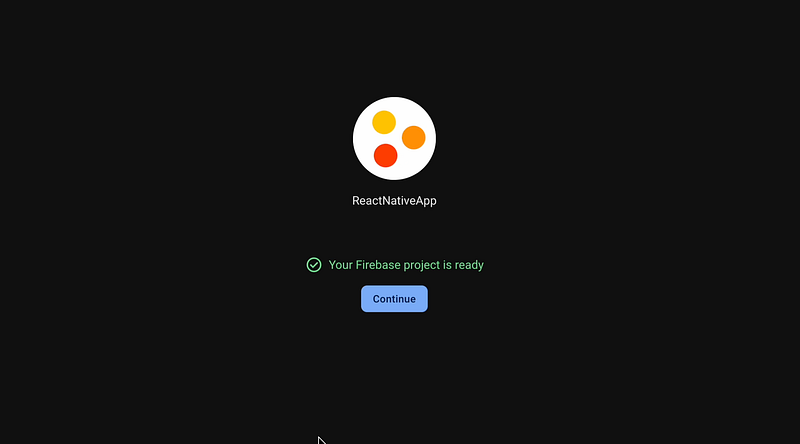
Wait for Setup
Firebase will take a few seconds and create your project.
Watch the Video
🎥 Here’s the full video tutorial (in Hindi): [Watch on YouTube]
What’s Next
In the next tutorial, we’ll register our Android app and integrate it with this Firebase project — so stay tuned.
If you found this helpful, please like, share, and subscribe to my channel for more React Native tutorials in Hindi.
📌 Follow Me for More
Did you find this helpful? Give a Clap and Share it with your friends!
For more updates: subscribe to my medium account.
Thank you for reading 😊